

 Français
 עברית
 Русский
Screen time chart for kids: free printables, and screen time by age
Most arguments about screens aren't about the minutes, they're about the rules changing every day. A screen time chart writes the rules down: how much, when, and what comes first. Here are two free charts, including one where kids earn their screen time, and what health experts recommend by age.

Screen time by age
| Age | Recommendation |
|---|---|
| Under 1 year | No screen time |
| 1 year | No sedentary screen time |
| 2 to 4 years | No more than 1 hour a day; less is better |
| 5 and older | A family plan that protects sleep, homework, meals and activity |
Source for under 5: World Health Organization. For school-age kids and teens, the American Academy of Pediatrics doesn't give one number for everyone; it encourages each family to make a media plan and to set screen-free zones, such as the dinner table, homework time and before bed.
Free printable earn screen time chart
Each task earns a number of minutes. Your child colors the box when it's done, then adds up the minutes at the end of the day or the week.
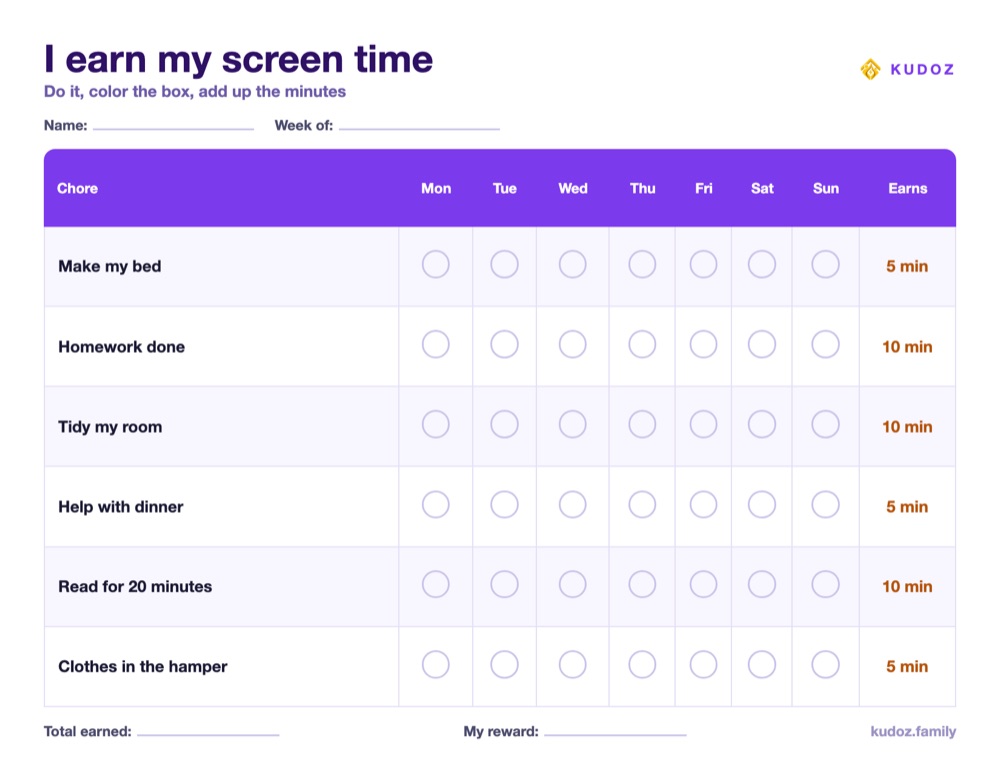
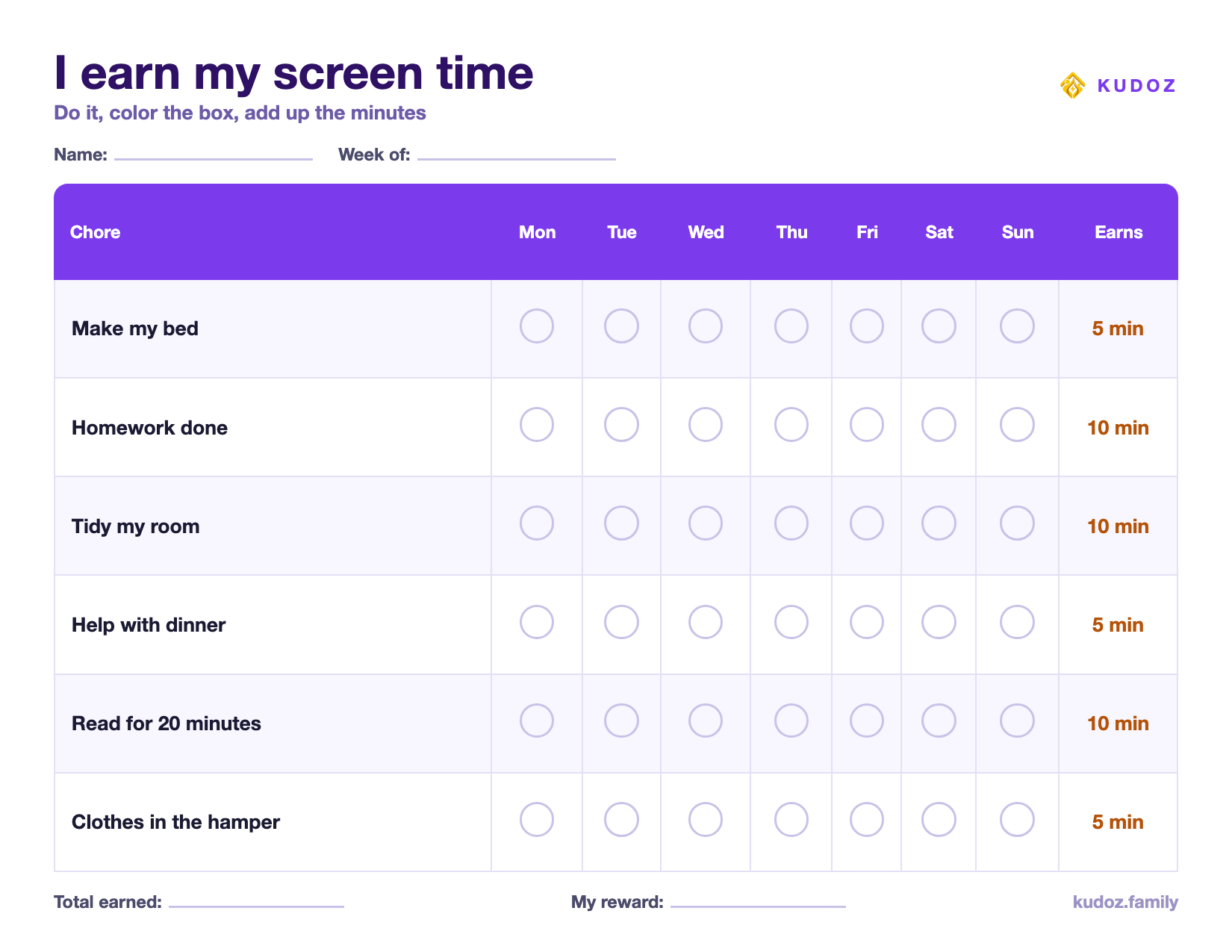
Change the tasks and minutes to fit your family, and agree on a daily cap before you start: for example, no more than one hour on a school day, whatever was earned.
Free printable family screen rules
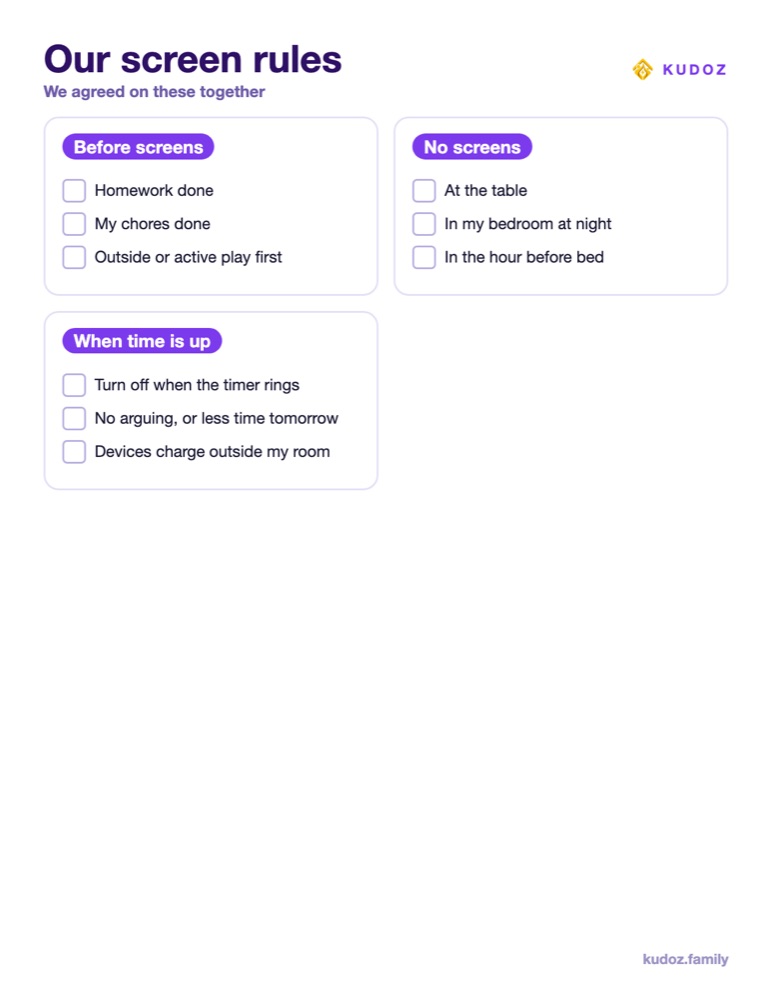
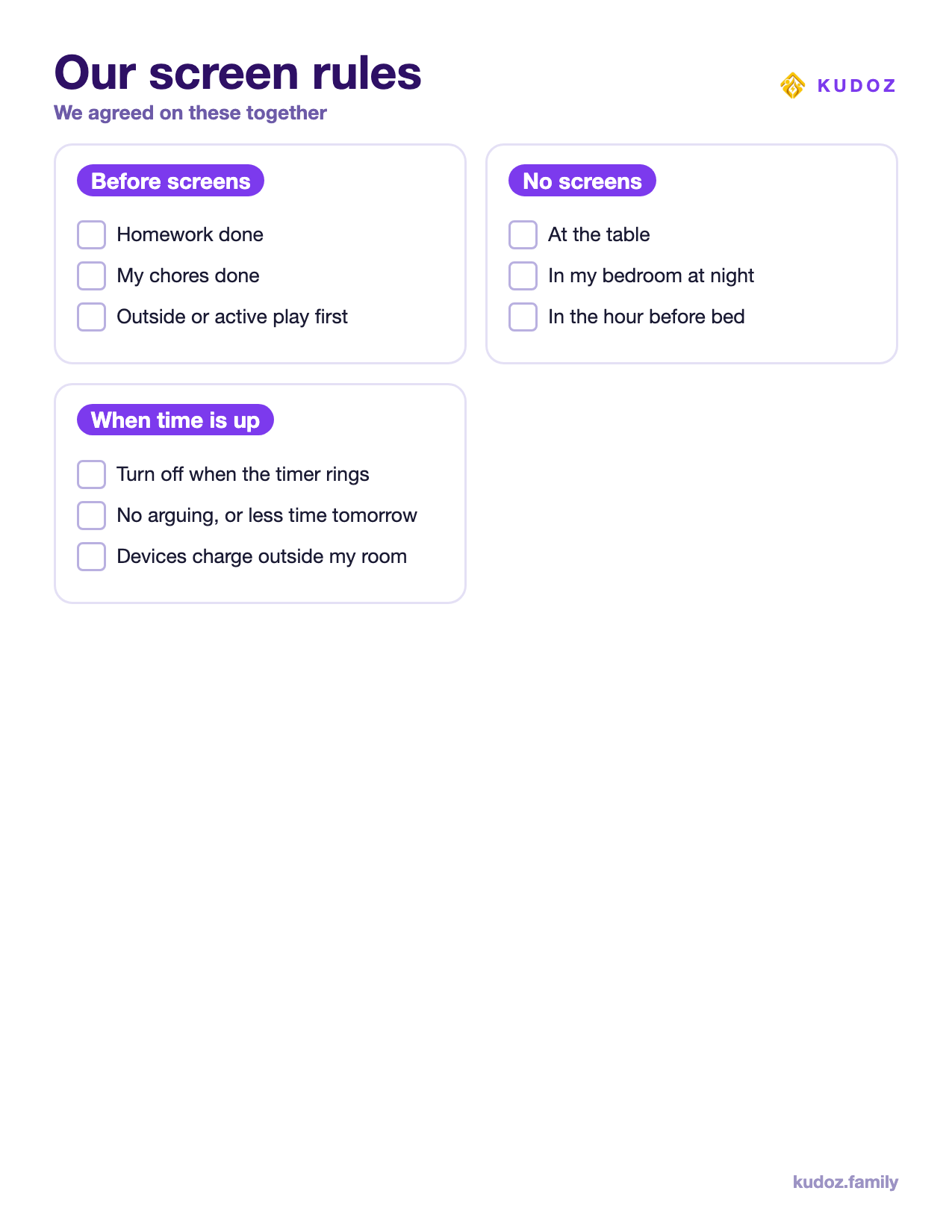
Tick the rules you agree on together, sign it, and put it near where the screens live. For the other house rules, see our family rules chart.
How to set up a screen time chart
- Agree on the daily limit first. The chart decides how screen time is earned or used, never how much is too much.
- Choose the "before screens" list. Homework and chores first is the most common rule, and the easiest to check.
- Set screen-free times. Meals, the hour before bed and the bedroom at night are the AAP's classic examples.
- Use a visible timer. A kitchen timer or a clock your child can read ends more arguments than a parent saying "time's up".
- Review it after a week. Adjust the minutes if your child earns everything by 9 a.m., or never earns anything.
Earned or fixed screen time?
An earn-screen-time chart suits kids who need a reason to start chores and like counting. A fixed daily allowance with clear rules suits families who don't want screens tied to every task. Both work if the rules stay the same every day. What causes the most arguments is a limit that changes from one day to the next.
If you'd rather keep screens out of the reward system, our reward chart guide lists rewards that cost nothing and aren't screens.
Screens, mornings and bedtime
The two moments where screens cause the most trouble are before school and before bed. Keep them off until the morning routine is done, and off for the hour before sleep, as the AAP advises in our bedtime routine guide.
Screen time as a reward in KUDOZ
In KUDOZ, "30 min extra screen time" is one of the ready-made rewards in the family shop. Your child earns Kudoz coins by completing missions you approve, and spends them on the rewards you chose. You set the price, so the rule is the same every day, and the app keeps the count for you.
Questions parents ask
How much screen time should a child have?
The World Health Organization recommends no sedentary screen time for children under 2, and no more than one hour a day for ages 2 to 4, less being better. For older kids, health experts focus on a family plan that protects sleep, homework, meals and physical activity, rather than a single number.
Is earning screen time a good idea?
It works for many families because the rule is clear and the child is in control. Keep a daily cap, so that doing extra chores doesn't turn into hours of screens, and keep some screen-free times no matter what.
How do I stop the arguments when screen time is over?
Use a timer your child can see, give a five-minute warning, and apply the same rule every day. Written rules on the wall end most negotiations.
Sources
- World Health Organization, To grow up healthy, children need to sit less and play more (April 24, 2019).
- American Academy of Pediatrics, HealthyChildren.org, Council on Communications and Media, How to Make a Family Media Use Plan (updated January 20, 2026).
Turn the chart into a game.
KUDOZ is a family app that does all of this for you: missions, XP, coins and a reward shop your kids actually want to open. Available on iPhone and Android.


This guide shares general parenting information. It is not medical advice and does not replace a diagnosis or a care plan from a qualified professional.